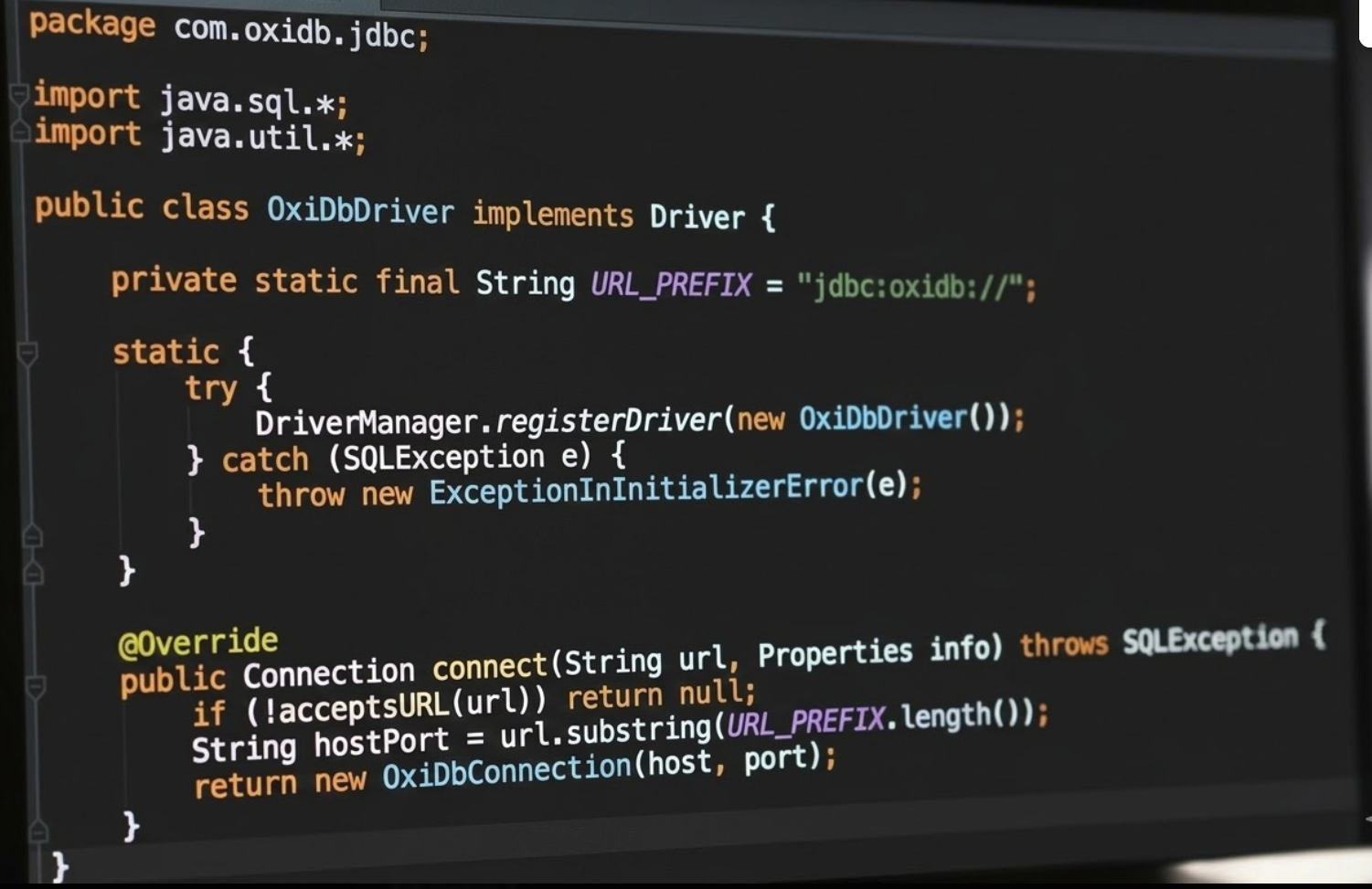
We've released oxidb-jdbc 0.1.0 — a pure Java JDBC driver that speaks OxiDB's native OxiWire binary protocol. It's a single 38 KB JAR with zero dependencies, works with Java 17+, and lets you connect any JDBC-compatible tool to OxiDB: DBeaver, IntelliJ Database Tools, DataGrip, or your own Java/Kotlin/Scala applications.
Why a JDBC Driver?
JDBC is the standard database connectivity API in the Java ecosystem. By implementing a JDBC driver, OxiDB becomes accessible to:
- GUI database tools — DBeaver, DataGrip, IntelliJ IDEA, DbVisualizer, SQuirreL SQL
- Java applications — any app using
java.sqlor frameworks like Spring JDBC, MyBatis, jOOQ - BI & reporting tools — tools that accept JDBC connections for data analysis
- ETL pipelines — tools like Apache NiFi, Talend, and Pentaho that use JDBC sources
OxiWire Binary Protocol
Unlike many database drivers that use text-based protocols, the OxiDB JDBC driver communicates using OxiWire — OxiDB's custom binary wire protocol. This provides several advantages over JSON:
- No serialization overhead — values are encoded directly as typed binary (integers as 8-byte LE, floats as IEEE 754, strings as length-prefixed UTF-8)
- Type preservation — booleans, integers, floats, nulls, arrays, and maps each have a distinct type tag. No ambiguity between
"42"the string and42the number - Compact encoding — no JSON delimiters, quotes, or escaping. A map with 5 fields is just
[0x08][count][key1][val1]...
Protocol Format
Every OxiWire message follows this structure:
Framing:   [4 bytes LE length] [payload]
Request:   [0xDB magic] [encoded map value]
Response:  [0xDB magic] [status: 0=ok, 1=error] [encoded value]

Type Tags:
  0x00 = Null
  0x01 = Boolean false
  0x02 = Boolean true
  0x03 = Int64  (8 bytes little-endian)
  0x04 = Uint64 (8 bytes little-endian)
  0x05 = Float64 (8 bytes IEEE 754 LE)
  0x06 = String (4-byte LE length + UTF-8 bytes)
  0x07 = Array  (4-byte LE count + encoded values)
  0x08 = Map    (4-byte LE count + bare-string keys + encoded values)
Map keys are "bare strings" — they don't carry a type tag since keys are always strings. This saves one byte per key.
Driver Architecture
The driver consists of 8 Java classes, all in the com.oxidb.jdbc package:
| Class | JDBC Interface | Responsibility |
|---|---|---|
OxiDbDriver | java.sql.Driver | URL parsing, connection factory. Registered via META-INF/services |
OxiDbConnection | java.sql.Connection | TCP socket management, OxiWire framing, command dispatch |
OxiDbStatement | java.sql.Statement | SQL execution via {"cmd":"sql","query":"..."} |
OxiDbPreparedStatement | java.sql.PreparedStatement | Parameter substitution into SQL |
OxiDbResultSet | java.sql.ResultSet | Scrollable result set backed by decoded document maps |
OxiDbResultSetMetaData | java.sql.ResultSetMetaData | Column type inference from values |
OxiDbDatabaseMetaData | java.sql.DatabaseMetaData | Table listing via list_collections, column discovery |
OxiWireCodec | — | Binary encoder/decoder for all OxiWire types |
Connection URL
The JDBC URL format is:
jdbc:oxidb://host:port

// Examples
jdbc:oxidb://127.0.0.1:4444      // local server
jdbc:oxidb://db.example.com:4444  // remote server
jdbc:oxidb://oxipool:4445         // via OxiPool connection pooler
The driver class is com.oxidb.jdbc.OxiDbDriver and is auto-discovered via the Java ServiceLoader mechanism (META-INF/services/java.sql.Driver).
Java Usage
Basic Query
import java.sql.*;

// Driver is auto-registered via ServiceLoader
Connection conn = DriverManager.getConnection("jdbc:oxidb://127.0.0.1:4444");

// Run SQL queries
Statement stmt = conn.createStatement();
ResultSet rs = stmt.executeQuery("SELECT * FROM users WHERE age > 25");

while (rs.next()) {
    System.out.println(rs.getString("name") + " - " + rs.getInt("age"));
}

rs.close();
stmt.close();
conn.close();
Insert Data
Statement stmt = conn.createStatement();
stmt.executeUpdate("INSERT INTO users (name, email, age) VALUES ('Alice', 'alice@example.com', 30)");
System.out.println("Inserted: " + stmt.getUpdateCount());
PreparedStatement
PreparedStatement ps = conn.prepareStatement("SELECT * FROM orders WHERE status = ? AND total > ?");
ps.setString(1, "shipped");
ps.setDouble(2, 100.0);
ResultSet rs = ps.executeQuery();

while (rs.next()) {
    System.out.printf("Order %s: $%.2f%n", rs.getString("_id"), rs.getDouble("total"));
}
Create Table & Index
Statement stmt = conn.createStatement();
stmt.executeUpdate("CREATE TABLE products (name, price, category)");
stmt.executeUpdate("CREATE INDEX idx_category ON products (category)");
stmt.executeUpdate("INSERT INTO products (name, price, category) VALUES ('Widget', 9.99, 'tools')");
Database Metadata
DatabaseMetaData meta = conn.getMetaData();
System.out.println("Database: " + meta.getDatabaseProductName());   // "OxiDB"
System.out.println("Version: " + meta.getDatabaseProductVersion()); // "0.18.0"

// List all tables (collections)
ResultSet tables = meta.getTables(null, null, "%", null);
while (tables.next()) {
    System.out.println("Table: " + tables.getString("TABLE_NAME"));
}

// List columns of a specific table
ResultSet cols = meta.getColumns(null, null, "users", "%");
while (cols.next()) {
    System.out.printf("  %s (%s)%n", cols.getString("COLUMN_NAME"), cols.getString("TYPE_NAME"));
}
DBeaver Setup
To use OxiDB in DBeaver:
- Download
oxidb-jdbc-0.1.0.jar - Open DBeaver → Database → Driver Manager → New
- Fill in:
- Driver Name: OxiDB
- Class Name:
com.oxidb.jdbc.OxiDbDriver - URL Template:
jdbc:oxidb://{host}:{port} - Default Port: 4444
- Go to Libraries tab → Add File → select the JAR
- Click OK
- Create a new connection using the OxiDB driver with host
127.0.0.1and port4444
Once connected, you can browse collections as tables, inspect document fields as columns, and run SQL queries directly in DBeaver's SQL editor.
How It Works Internally
SQL Execution Flow
When you call stmt.executeQuery("SELECT * FROM users"), here's what happens:
- Build command map:
{"cmd": "sql", "query": "SELECT * FROM users"} - Encode to OxiWire: The map is encoded as
[0xDB][0x08][count=2]["cmd"][0x06"sql"]["query"][0x06"SELECT..."] - Frame and send: The encoded bytes are wrapped in a 4-byte LE length prefix and sent over TCP
- Receive response: Read 4-byte length, then payload. Decode:
[0xDB][0x00=ok][0x07 array][documents...] - Build ResultSet: Each document map becomes a row. Union of all keys becomes column names.
Type Mapping
OxiWire types map to JDBC types as follows:
| OxiWire Type | JDBC Type | Java Class |
|---|---|---|
| Null (0x00) | NULL | null |
| Boolean (0x01/0x02) | BOOLEAN | java.lang.Boolean |
| Int64 (0x03) | BIGINT | java.lang.Long |
| Float64 (0x05) | DOUBLE | java.lang.Double |
| String (0x06) | VARCHAR | java.lang.String |
| Array (0x07) | ARRAY | java.util.List |
| Map (0x08) | JAVA_OBJECT | java.util.Map |
Column Discovery
Since OxiDB is a document database, collections don't have a fixed schema. The JDBC driver handles this by:
- ResultSetMetaData: Scans all rows in the result set, collects the union of all field names, and infers types from the first non-null value per column
- DatabaseMetaData.getColumns(): Samples one document from each collection via
SELECT * FROM table LIMIT 1and reports its fields as columns - Primary key: Always reports
_idas the primary key for every collection (OxiDB's auto-generated document ID)
Download
Download oxidb-jdbc-0.1.0.jar (38 KB)
# Or via curl
curl -LO https://oxidb.baltavista.com/releases/v0.18.0/oxidb-jdbc-0.1.0.jar

# Maven (coming soon)
<dependency>
  <groupId>com.oxidb</groupId>
  <artifactId>oxidb-jdbc</artifactId>
  <version>0.1.0</version>
</dependency>
The driver is 38 KB, has zero external dependencies, requires Java 17+, and supports the full OxiDB SQL dialect including SELECT, INSERT, UPDATE, DELETE, CREATE TABLE, CREATE INDEX, and aggregation queries.
Discussion 0
No comments yet. Start the conversation.